
Time tracking for event production
Control working time from the shift through approval.
Plan participation, capture working time and breaks, review exceptions and hand approved periods to payroll in a structured format. Employee and freelancer records keep their proper owners.
01
Define participation and record ownership
Decide before the job who uses Company Time and which freelancers report actuals in the booking workflow. The team can then see who owns each record.
02
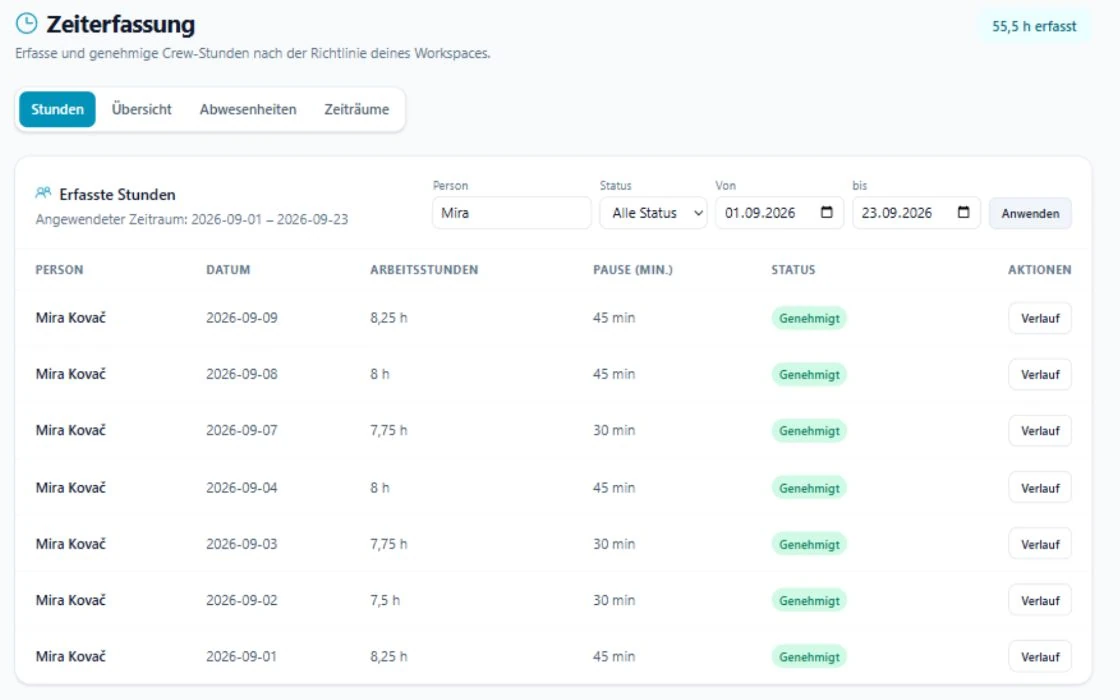
Review and approve time
Capture starts, ends and breaks, resolve incomplete or unusual entries and approve only time that can be explained. Overnight work remains one continuous shift.
03
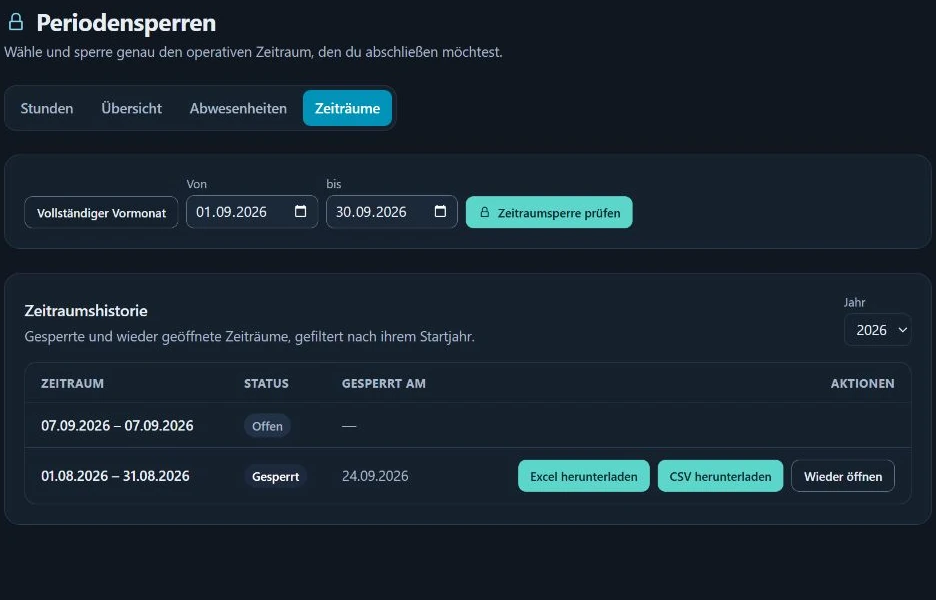
Lock periods and export
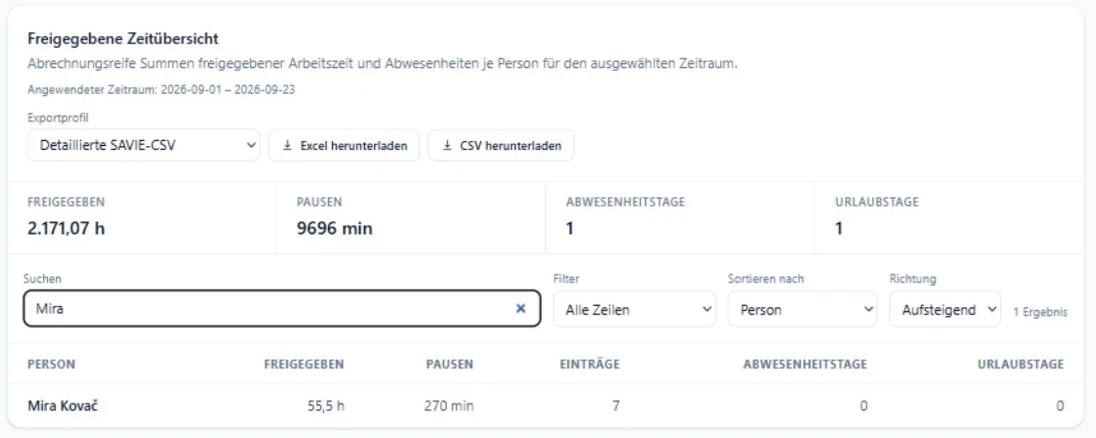
Collect approved entries in a period, lock the reviewed state and export XLSX or CSV for the next responsible process.
Current SAVIE product views
In practice
Test SAVIE on one real load-in, show and load-out.
- Bring a representative multi-day job with employees and freelancers.
- Agree who uses Company Time and who reports actuals in the booking flow.
- Review an overnight shift, breaks and one correction before approval.
- Export the completed period into your existing payroll process.
Clear boundaries for responsible operation
- SAVIE does not calculate wage premiums or make employment-law decisions.
- Freelancer actuals and Company Time stay separate unless an organisation explicitly enables a person for Company Time.
- The export is a structured handover, not automated payroll.
Continue reading
Questions & answers
Can employees and freelancers record time on the same job?
Yes, with clear record ownership. Internal participants can use Company Time while freelancers report actuals in their booking context. The workflows are not silently combined.
What happens after a correction?
The changed entry needs review again. A locked period protects the agreed state; an administrator makes a deliberate decision to reopen it.
Does SAVIE replace payroll?
No. SAVIE prepares approved data for XLSX or CSV. Premiums, contracts, rest periods and payroll stay in the responsible specialist process.
A demo with your workflow
Test time tracking on a real production day.
We will model load-in, show and load-out with you and check how the handover fits your existing payroll process.