
For production companies
Crew management for event production.
Manage your crew pool and production staffing in one shared application. Equipment experience, availability, requests and booking responses stay visible to your dispatch team in the context of each job.
01
Build a crew pool with equipment experience
Keep disciplines, specific equipment experience and contact details in structured profiles. Review existing crew data when getting started and add the experience that matters for your productions.
02
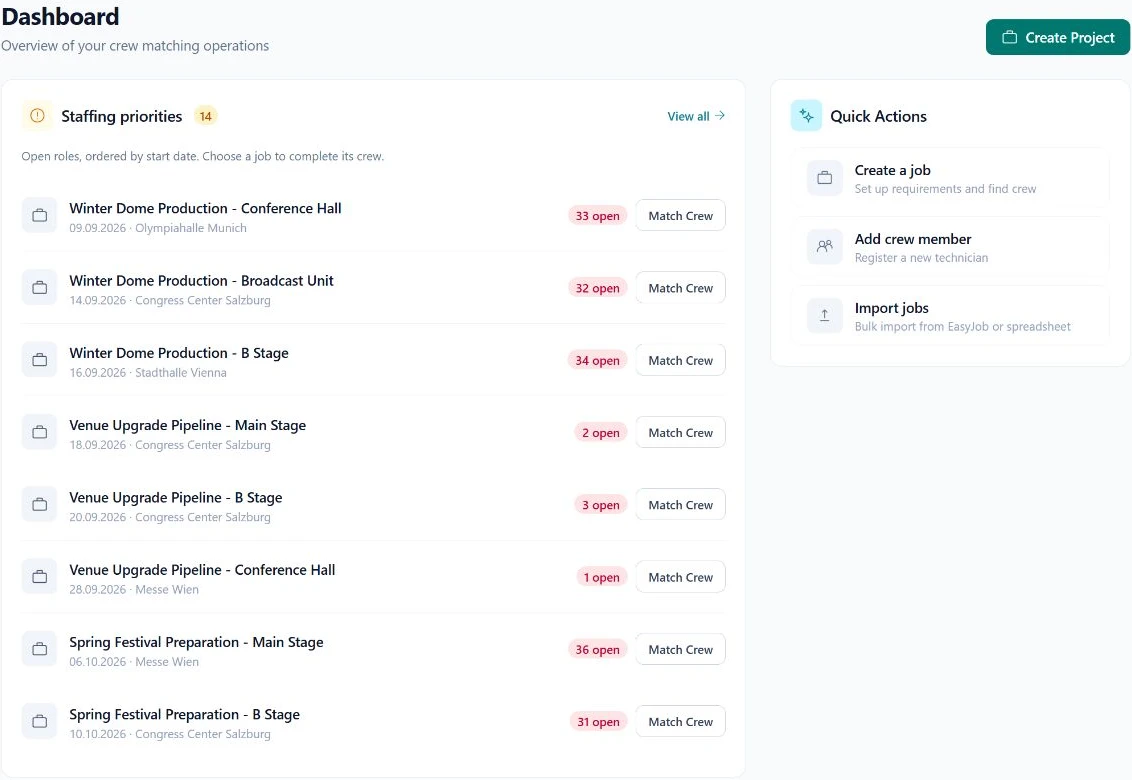
Staff each job from its requirements
Define dates, roles and required equipment experience. Compare suitable crew and check availability before sending a request. A suitable qualification is not a booking confirmation.
03
Follow requests and confirmations together
See pending responses and confirmed bookings in a shared workspace. Another authorized dispatcher can understand the next step without reconstructing separate message threads.
In practice
Start planning crew with one production.
- Bring an existing crew list and review the profile information.
- Define a few real roles with specific equipment requirements.
- Invite your team and agree who owns the booking response.
- Review the result before expanding to more projects.
What is SAVIE?
Crew planning for event technology, built around equipment experience.
SAVIE is software for event production and audiovisual companies. Crew, vehicles and working hours live in one system, and staffing is based on who can actually operate the specific equipment.
Crew by equipment experience, not job title
Roles describe the specific equipment, such as a particular lighting console or wireless system. SAVIE shows who has experience with it. A match is a suggestion, not availability and not a booking confirmation.
Connected to easyjob, Rentman and Eventworx
Bring jobs, roles and equipment in from your rental system instead of retyping them. What a confirmed booking sends back depends on the system: the assignment in easyjob and Eventworx, a busy entry in the person's availability calendar in Rentman.
Calendar export for crew and dispatch
Bookings are available as an .ics file, as a quick-add link for Google Calendar and Outlook, or as a subscribable calendar feed. Crew can also connect their Google or Microsoft calendar so busy times are visible during planning.
Crew, fleet and hours on the same job
Transports, drivers and recorded working hours belong to the same job as the crew booking. Planning, vehicle use and follow-up happen without handing over between separate tools.
Questions & answers
Who is this crew management software for?
Event production and audiovisual companies coordinating their crew pool across multiple jobs. The shared workflow is particularly useful when several dispatchers need to track equipment experience, open requests and confirmations.
Can multiple dispatchers work together?
Yes. Dispatchers share crew and project context within their organization and permissions. Agree who handles requests and confirms bookings.
Do we need to replace our ERP?
No. Use SAVIE independently or connect supported workflows with easyjob. Data scope and setup are clarified before connecting the systems.
Who decides which crew members are booked?
Your dispatch team. Equipment experience and availability support the selection. The specific request, response and confirmation remain part of the booking workflow.
Your next production
Let's work through a real job.
Bring a typical crew requirement. We will show you how matching and booking fit your workflow.