
Overnight time tracking
Record overnight shifts: document load-in and load-out across midnight
For a load-out ending at 02:00, the end date determines the duration. Record overnight work without guessing dates or counting a break twice.
Times alone are not enough across midnight
A shift starting at 20:00 and ending at 02:00 can look negative without dates. Record both instants in full: the start on the production day and the end on the following day. Preserve that assignment if the record is corrected later.
Use the job reference to identify whether the entry belongs to show operation, load-out or the return journey. Planned and actual time remain separate facts.
Calculate 20:00 to 02:00 transparently
In this fictional example, a technician works from 20:00 on 26 September to 02:00 on 27 September. That is six hours of presence. After a recorded 30-minute break, 5.5 net hours remain.
| Step | Result |
|---|---|
| 20:00 to 24:00 | 4.0 hours |
| 00:00 to 02:00 | 2.0 hours |
| Presence | 6.0 hours |
| Less break | 0.5 hours |
| Net time | 5.5 hours |
Respect the workspace timezone and clock changes
For ordinary nights, the workspace local-time assignment is sufficient. During a daylight-saving transition, the same clock labels can represent a different elapsed duration. Review those jobs separately against the workspace timezone and what actually happened.
This guide does not determine premiums, rest periods or whether overnight work is permitted. Those decisions belong to the responsible operational and legal process.
Review the overnight entry in SAVIE
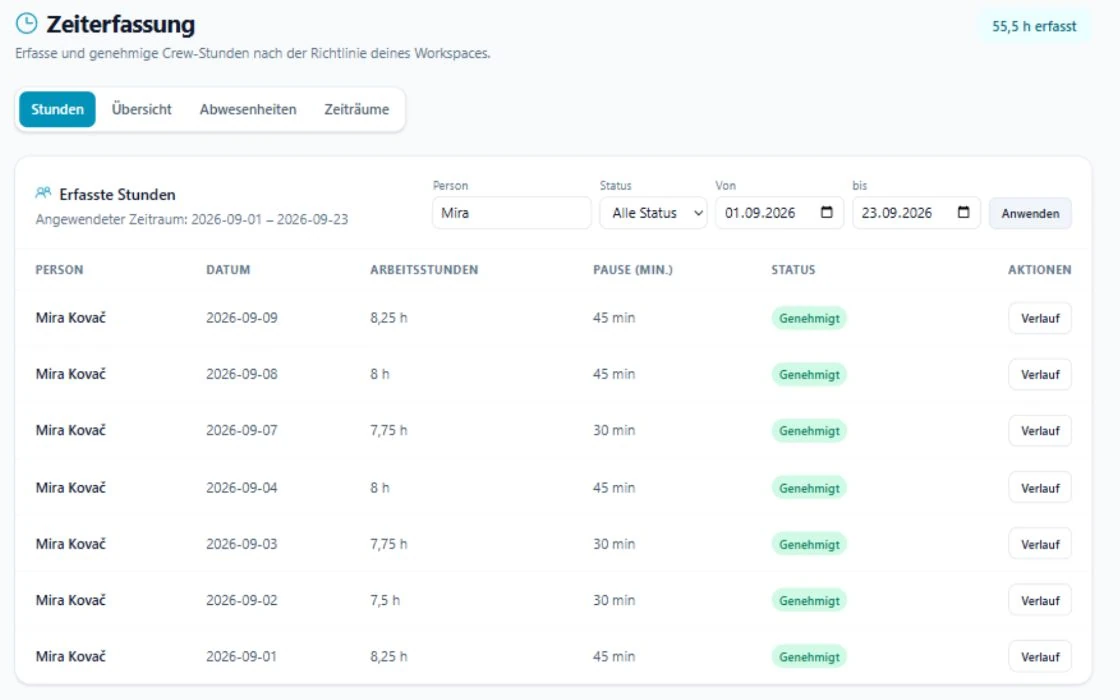
The SAVIE time register keeps hours, break, job and status together. Open the relevant day and check that the entry belongs to the correct job. A note such as load-out ended on the following day makes the difference from the plan easier to understand.
For manual entries, the hours field represents working hours and the break is recorded separately. Do not deduct the break before entry and then enter it again.
Keep correction and approval separate
If the end changes from 01:30 to 02:00, record why and review the revised state again. A silent post-approval edit creates competing versions in the export and production record.
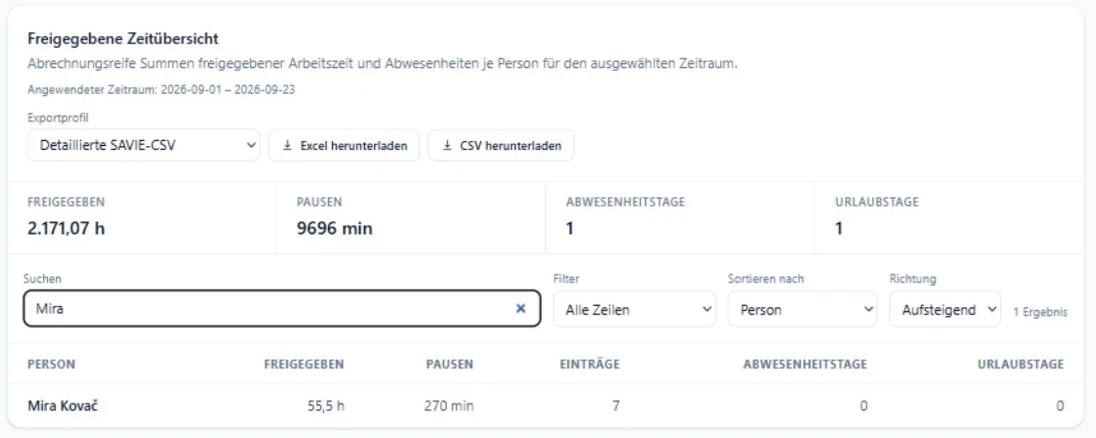
The hours overview helps compare planned, recorded and approved values. A difference starts a review; it is not automatic proof of an error.
Checklist for overnight load-in and load-out
Use the list for mobile records as well as transferred or imported timesheets.
- Start date and time checked.
- End date is on the next day where required.
- Break counted once.
- Job and task are unambiguous.
- Clock-change nights checked against the workspace timezone.
- Correction explained and approved again.