
Resource planning for event production
Productions, crew and vehicles on a dependable timeline.
Move between production and resource views, see open staffing and overlapping occupation, and distinguish confirmed bookings, calendar-busy time and availability that is still unknown.
01
See production and resources from both directions
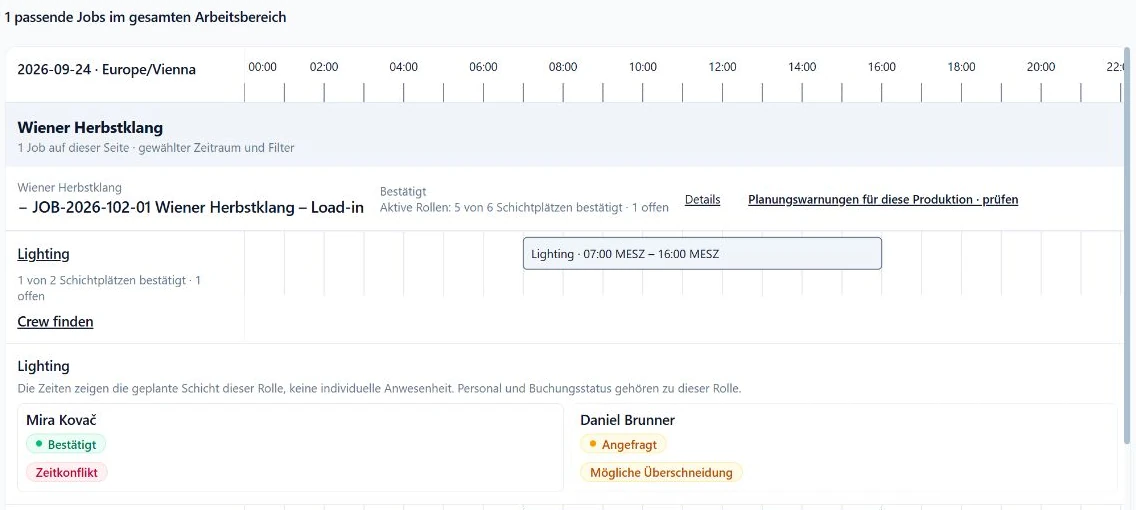
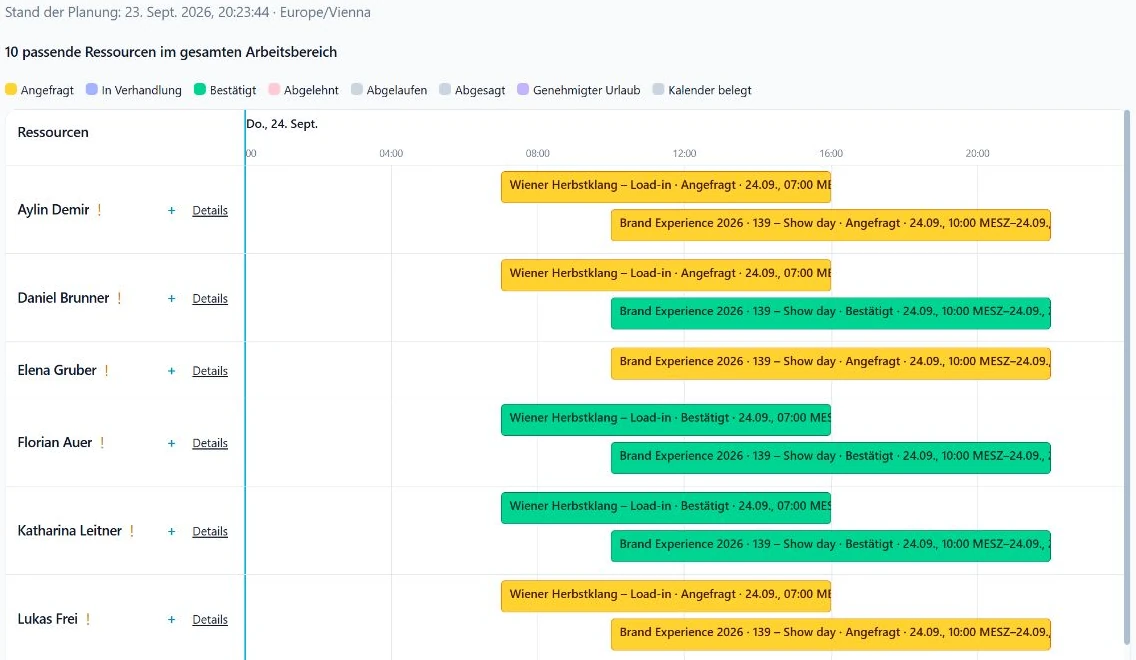
The production view shows phases and staffing coverage by job. The resource view places people and vehicles on the same time range.
02
Separate busy, unknown and booked
Calendar data provides busy evidence but not a booking response. Unknown availability stays visible until there is a reliable source or response.
03
Filter, inspect the source and resolve the conflict
Filter projects, customers, people, vehicles and booking states. Then open job or availability details to inspect the reason and handle the conflict responsibly.
Current planning views in SAVIE
In practice
Test overlapping productions with mixed resources.
- Bring two productions with overlapping phases and roles.
- Add employees, freelancers and one vehicle needed by both.
- Review confirmed, requested, calendar-busy and unknown states separately.
- Trace one conflict back to its booking or availability source.
Read each status as the evidence it represents
- A busy external calendar is a signal, not a rejection or booking response.
- A match or replacement suggestion guarantees neither availability, qualification nor confirmation.
- Filters prioritise the view; they do not alter bookings or resolve conflicts automatically.
Continue reading
Questions & answers
Does the resource plan include vehicles?
Yes. The resource view can show people and active vehicles together or filter by resource type.
Is calendar busy the same as declined?
No. It shows an occupied period from the available calendar source. A SAVIE request and its response are separate facts.
How do I investigate a conflict?
Open the resource's booking and availability details, then follow the affected job when needed. The dispatcher can assess the source, status and next step there.
A demo with your plan
Test a real resource bottleneck.
We will model two overlapping productions with crew and vehicles and trace one conflict to its source.