
A dispatcher's day
See the next decision, not another spreadsheet.
Open staffing, pending responses, and changed requirements need different actions. Keep the job context close to each decision.
01
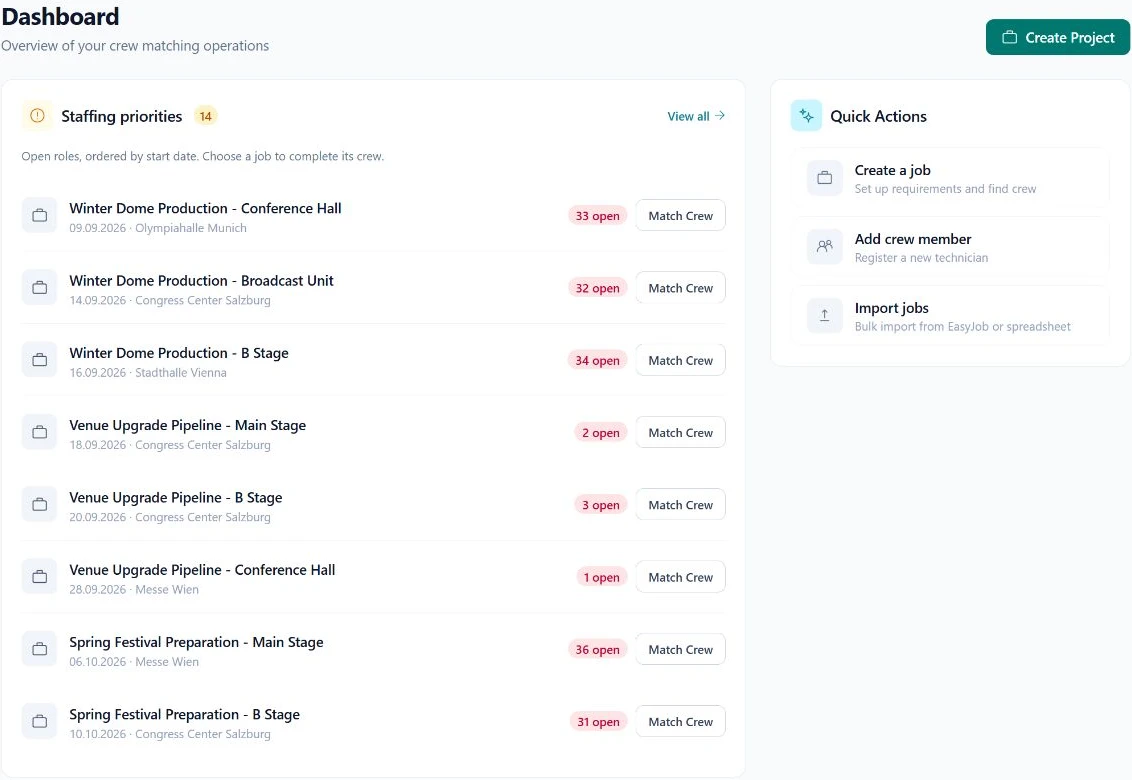
Start with open staffing
Review the roles that still need crew, beginning with the jobs that need attention soon.
02
Follow the response
Check whether the next action belongs to your team or the crew member. Open the relevant booking context.
03
Finish with clear commitments
Confirm agreed details and review exceptions. Give the next dispatcher a record they can work from.
In practice
A handover should not start from zero.
- Keep equipment requirements attached to the job.
- Use the request status to explain what is still outstanding.
- Review changed dates and hours in their own context.
- Keep optional reporting separate from today's staffing decisions.
Questions & answers
Can we use SAVIE for recurring production work?
Yes. Crew profiles and booking records provide a shared foundation across projects.
Does the tool replace the dispatcher's judgment?
No. It organises the information and responses that help the dispatcher make decisions.
Your next production
Let's work through a real job.
Bring a typical crew requirement. We will show you how matching and booking fit your workflow.