
Crew and time
Schedule employees and freelancers together while reviewing time separately
The production is shared, but the time records do not have to be. Plan a mixed team in one job while assigning capture, review and approval clearly.
One job, two time-record workflows
Employees and freelancers often work side by side on the same build. They belong in the same job for scheduling: role, shift, brief and booking status all need to agree. Their post-job time workflows can still differ.
SAVIE generally handles employees through Company Time. Freelancers confirm actual hours within their booking workflow. This separation clarifies ownership and records. It does not determine a person's employment or tax classification.
Plan the mixed crew in one production first
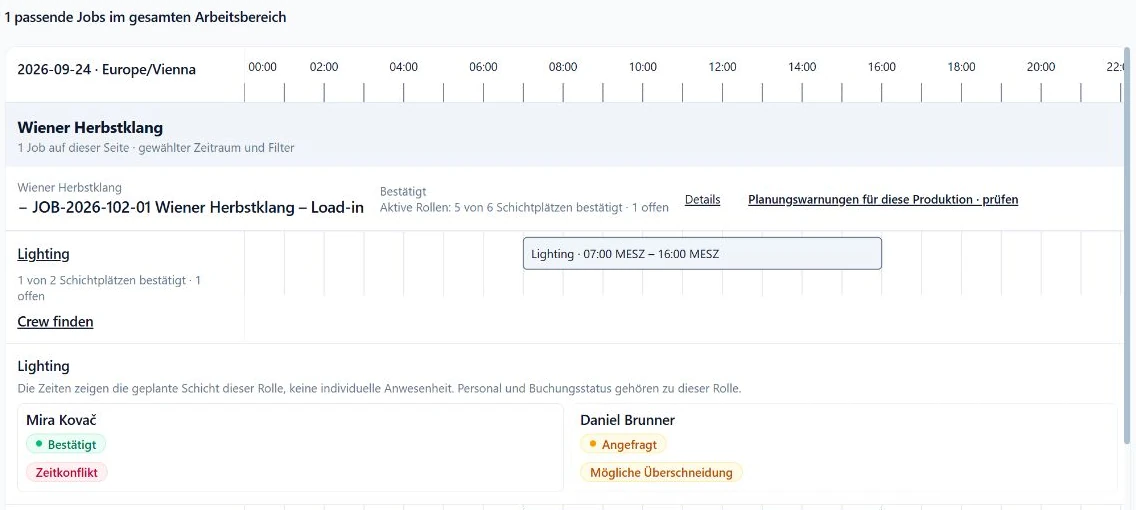
Define the role, interval and required experience for each position. The production schedule then shows which seats are confirmed, requested or still open. Whether someone is an employee or freelancer does not change the technical requirement for the work.
Keep the brief and any shift changes current in one place. If call time moves, confirmed crew, open requests and the time records expected later all need to reflect the same production plan.
Review employee records in Company Time
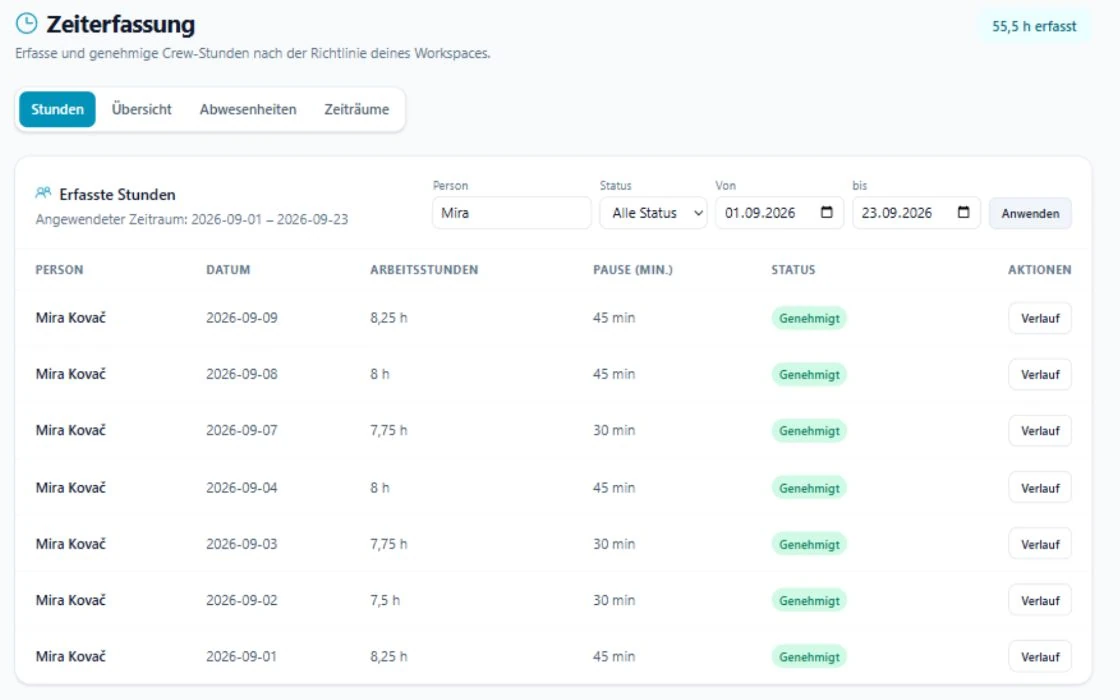
Employees capture work with the live clock or a manual entry. Hours, breaks, notes and status are reviewed in the time register. Authorised administrators handle questions and approve entries.
The planned shift is a comparison value, not an automatic record of work performed. Review differences from the schedule before closing or exporting a period.
Check freelancer actuals on the booking
For freelancers, actual hours belong to the specific booking. Planned and confirmed actual hours can be compared there, with start and finish recorded where needed. The question stays attached to the engagement it concerns.
An individual freelancer can also be enabled for Company Time if your internal process requires it. That is an explicit setting and does not apply automatically to all freelancers. Decide which record drives each downstream process so that the same hours are not handled twice.
Assign ownership before the first shift
The dispatcher maintains the job and booking status. Employees capture their own time through the agreed process. Freelancers confirm actuals on their bookings. The person authorised for Company Time reviews and approves employee records. One person may hold several of these responsibilities, but each step should still have an owner.
Set deadlines and escalation too: when are actuals due, who resolves a difference, and when is the period closed? A short and explicit process is more useful than a status sheet nobody owns.
Responsibility checklist for a mixed crew
Walk through the list with one real production example. Once each responsibility has an owner, the process can be configured in the software.
- Dispatcher: maintain roles, intervals, requests and changes.
- Employee: submit complete Company Time entries by the agreed deadline.
- Freelancer: confirm actual hours on the correct booking.
- Reviewer: resolve differences and approve only checked employee time.
- Administrator: enable individual freelancer Company Time participation deliberately.
- Team: define which record continues into invoicing or payroll preparation.